
How Traffic Warrants Work in Tyler County
A traffic warrant is a court record that can follow an unpaid citation or missed court date. The issuer matters: Tyler County JP precincts handle county and precinct traffic cases, while Woodville and Ivanhoe Municipal Courts handle qualifying city traffic and ordinance matters. A payment made to the wrong court may not reach the right case.
Woodville's FAQ describes a local sequence: contact, plead, or pay by the appearance date; otherwise a Violate Promise to Appear notice or charge may follow, listed at $272, then a show-cause setting, FTA, and license hold. This does not describe every JP or Ivanhoe case.
Tyler County Citation to Capias Timeline
A missed traffic date can create an FTA record, and a court may issue an FTA capias. A fine that remains unpaid after judgment can lead to a capias pro fine in a JP or municipal case. The two labels point to different court events, so ask which one appears before paying.
Woodville's published FAQ adds a city-specific step: the $272 Violate Promise to Appear charge may precede a show-cause hearing and later FTA. The court and DPS process are separate; the court controls the case while DPS handles its reported license hold.
Tyler County Traffic Warrant Checks
There is no countywide traffic-warrant roster. Start with the court printed on the citation. The JP directory links some citation-payment services, but its public page does not expose every form field or warrant result. Woodville and Ivanhoe have separate city-court payment routes. A sheriff call or written Texas Public Information Act request is a fallback for existing records, not a substitute for the issuing clerk.
- Use the citation to identify the JP precinct or city court; call that court if the issuer is unclear.
- For Woodville, use the official payment instructions with citation number, date of birth, and driver's-license number, or call (409) 283-3255.
- For Ivanhoe, confirm the case with its Municipal Court at (409) 444-7048 before using the linked payment service.
- Ask the JP or city clerk about current warrant status and accepted payment or appearance options.
- If a sheriff record is involved, call (409) 283-2172; ask the court to confirm any DPS/OmniBase update.
Which Tyler County JP Holds the Ticket
The county lists four justice courts at 203 West Dogwood in Woodville. Precinct 2 and Precinct 3 use Rooms 302 and 303; Precinct 4 uses Room 304. Their records and payment steps are separate, so call the court printed on the notice.
| Traffic court | Phone | Route |
|---|---|---|
| JP Precinct 1 | (409) 283-3631 | 203 W. Dogwood |
| JP Precincts 2 and 3 | (409) 283-6320 | Rooms 302 and 303 |
| JP Precinct 4 | (409) 429-9500 | Room 304; call before travel |
| Woodville Municipal Court | (409) 283-3255 | City citation only |
| Ivanhoe Municipal Court | (409) 444-7048 | City citation only |
Traffic Warrants: What They Show
Tyler County publishes no common traffic-warrant listing or universal warrant-number format. A court file may show the citation or cause number, offense, issuing court, judgment, and action history. The data below are possible case fields, not a single county search result.
| Citation / cause | Format varies by issuing court |
|---|---|
| Offense | Read the actual citation and court file; no sample case is reproduced. |
| Issuing court | JP precinct or municipal court printed on the ticket. |
| Fine / payment | Ask that court for its current amount and allowed method. |
| Status | Confirm active, recalled, paid, served, or reset with the clerk. |
Woodville Traffic Warrant Payment Fields
Woodville's official payment page asks for the citation number in the city's format, such as PD 00000 with the space, plus date of birth and driver's-license number. Online or phone card payment adds a 3.5% processing fee and taxes. Phone payment is also available through the court.
Plans may be requested in person or through the Email Appearance Form with a plea, contact details, and citation number. Court approval is required, and a new plan carries a $15 administrative fee. Ask whether the plan also clears an existing warrant.
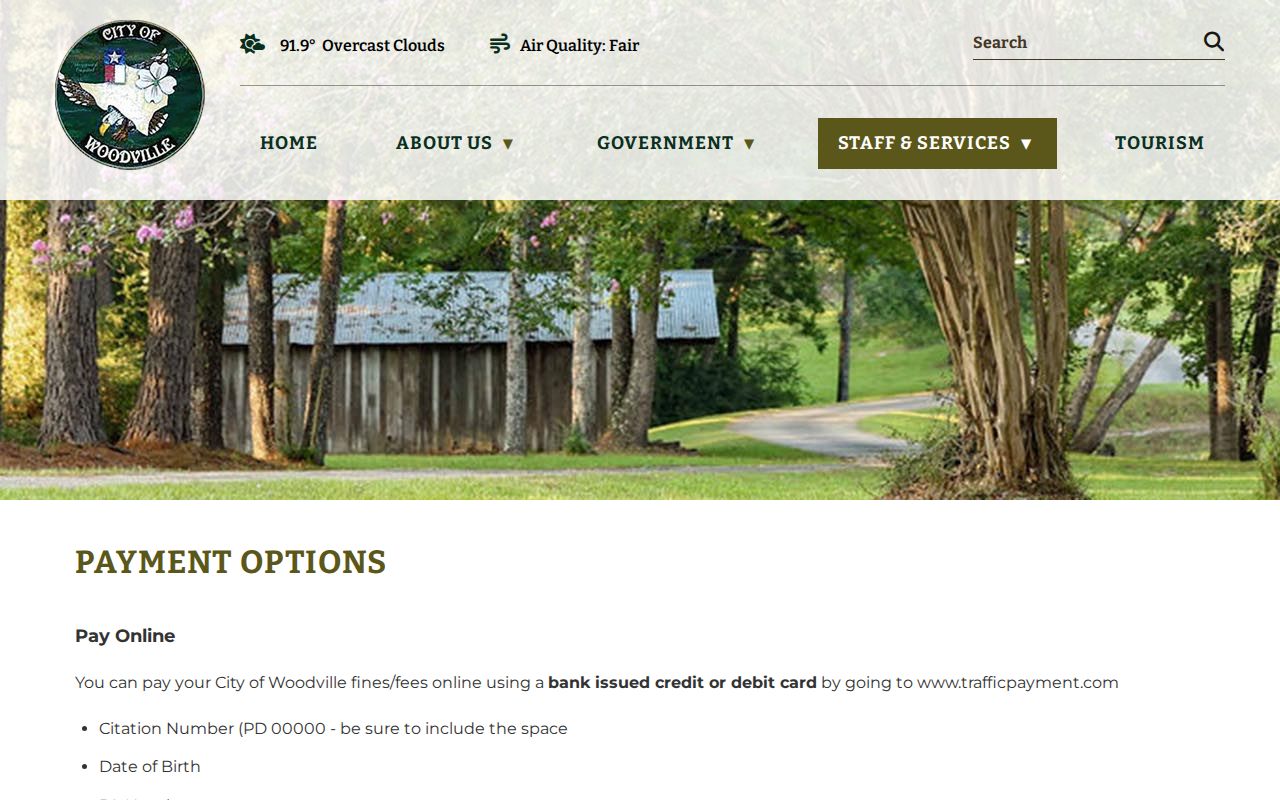
The city instructions show payment lookup fields; they are not a countywide warrant search.
Chester and Colmesneil Traffic Courts Need Confirmation
The 2025 Texas municipal-court directory reviewed for this project identifies Woodville and Ivanhoe but has no Chester or Colmesneil entry. That does not prove a town has no court or no older citation; it means the town name alone does not verify who controls the traffic case.
For a Chester or Colmesneil ticket, read the full court heading and call the issuer before paying through a city vendor. If the document points to a JP precinct, use that court’s phone number. A city payment account for Woodville or Ivanhoe will not resolve a case held by a different court.
The Texas municipal-court directory is a court-identity reference, not a warrant lookup.
Clearing a Tyler County Traffic Warrant
Call the issuing court before paying. Tyler County's criminal-fine instructions say to confirm the amount and route first; the county lists a 2.75% card convenience fee and a 24–48-hour processing note. That county payment path does not automatically apply to a city ticket.
The County Court criminal-fine instructions explain the county’s payment route.
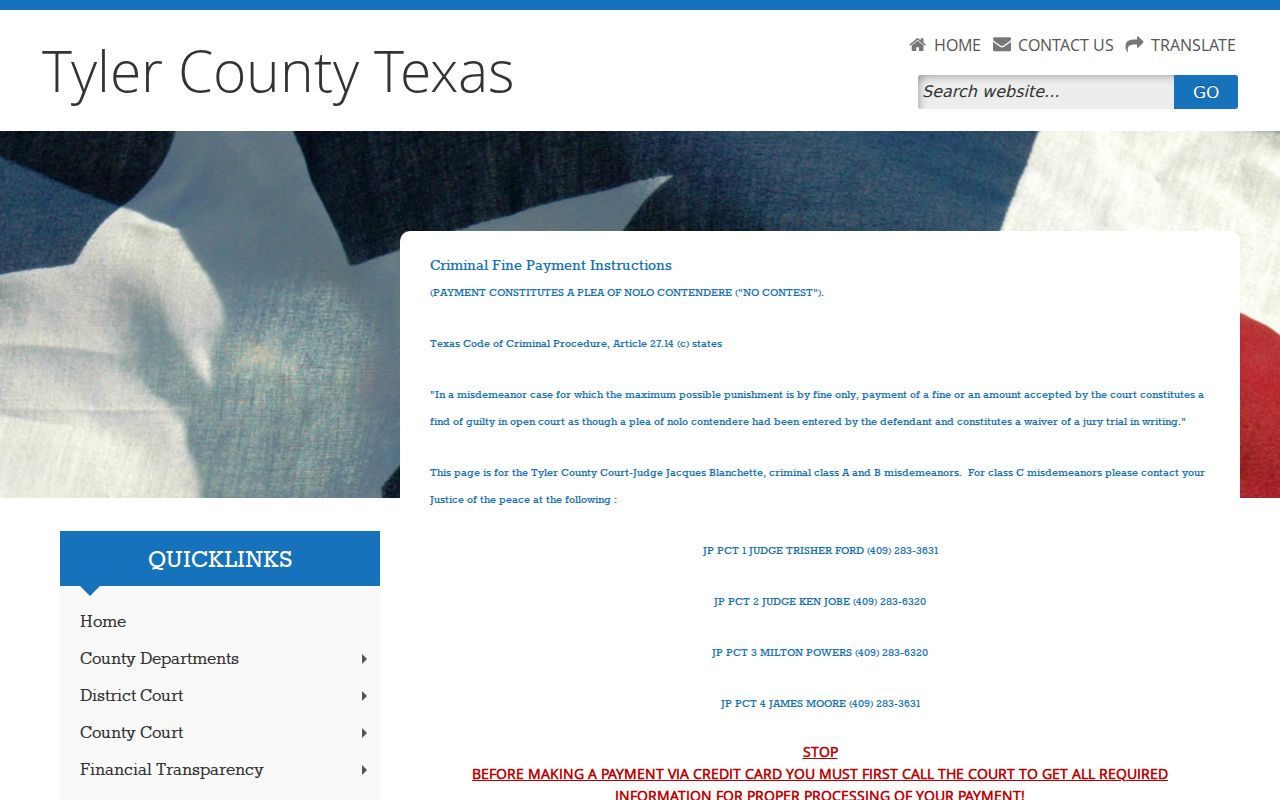
This route is separate from Woodville and Ivanhoe city-court payments.
- Confirm the warrant type, amount, and whether a judge appearance is needed.
- Pay only through the issuing court's linked method, or ask for a new setting or hardship review.
- Keep the receipt and ask when the clerk will update the court, sheriff, and DPS if applicable.
- Call again to confirm clearance; do not assume a payment plan or payment portal has recalled the warrant.
Warning: A payment receipt is not the same as a confirmed recall; ask the issuing court when its warrant record and any DPS report change.
Ivanhoe Traffic Warrants Need Full Payment
Ivanhoe's linked TrafficPayment page is for Ivanhoe citations only, not Woodville or Tyler County JP cases. It says warrants are payable there only in full and should clear within two to three business days. Keep the receipt while the court processes the update.
Driving-safety, deferred-disposition, compliance-dismissal, and partial-warrant payments require court contact. If the citation begins with “TX” or “PD,” the city's page says it likely belongs to Woodville or a Tyler County JP rather than Ivanhoe.
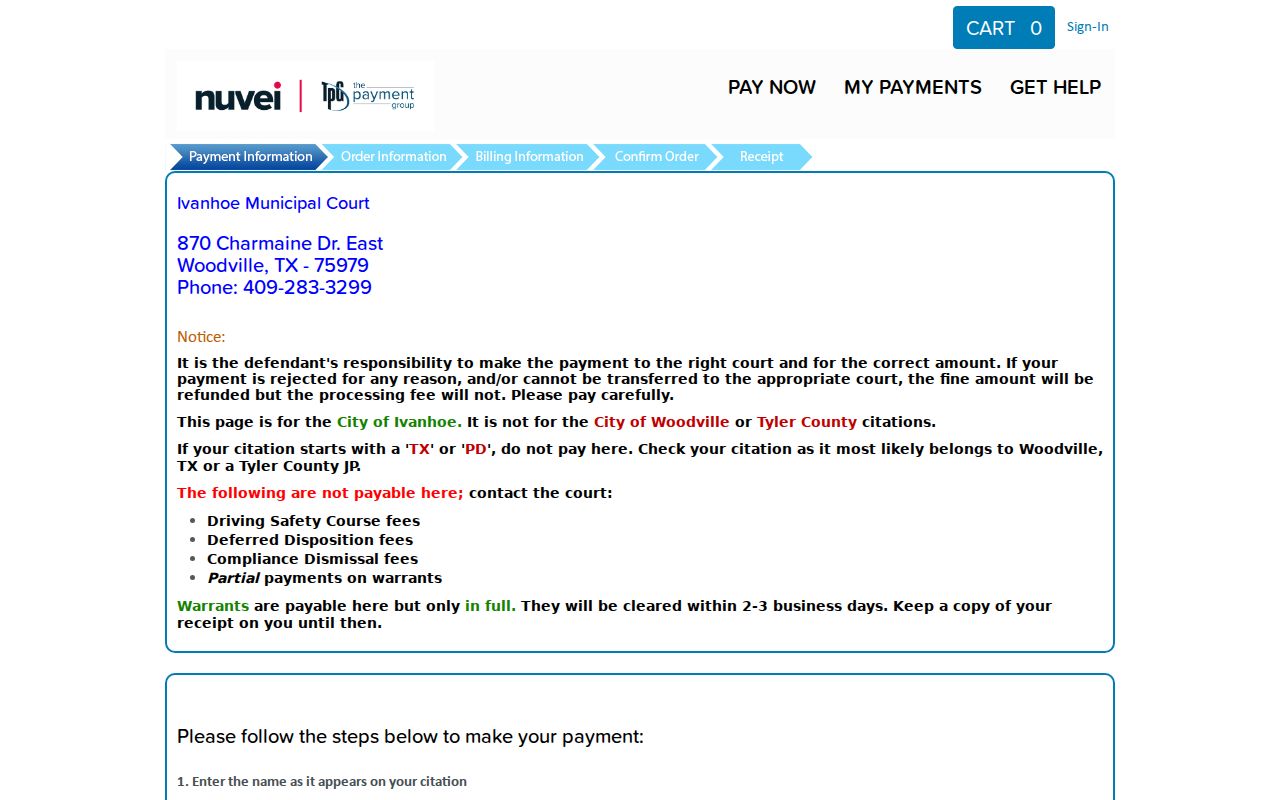
Use the city-linked payment page only for the Ivanhoe court and the case it identifies.
How Traffic Warrants Trigger License Holds
A traffic warrant, an FTA entry, and an OmniBase license-renewal hold are related but distinct. The court controls its warrant and case; DPS processes reported FTA or failure-to-pay status. DPS says its license specialists cannot confirm whether a warrant exists.
| Mechanism | What Triggers It | What It Does |
|---|---|---|
| Traffic warrant | Unpaid citation or missed traffic date | Court process tied to the citation |
| Failure to appear (FTA) | Missed scheduled court setting | May lead to an FTA charge or capias |
| License-renewal hold | Court reports FTA or failure to pay | Can block renewal until the reporting court clears it |